Inside SALVAGE
These are the real app screens.
SALVAGE recovers photos, videos and documents from formatted, corrupted or failing drives, with their original names and folders. Free for Windows 10 and 11.
Plug in the drive, start a scan and save what you need. SALVAGE explains every step in plain language.
Finds lost files on NTFS, FAT32 and exFAT drives with their original names and folders. Free, with no limit.
Reads the raw data to find 30+ file types, including photos, videos, music, documents and archives.
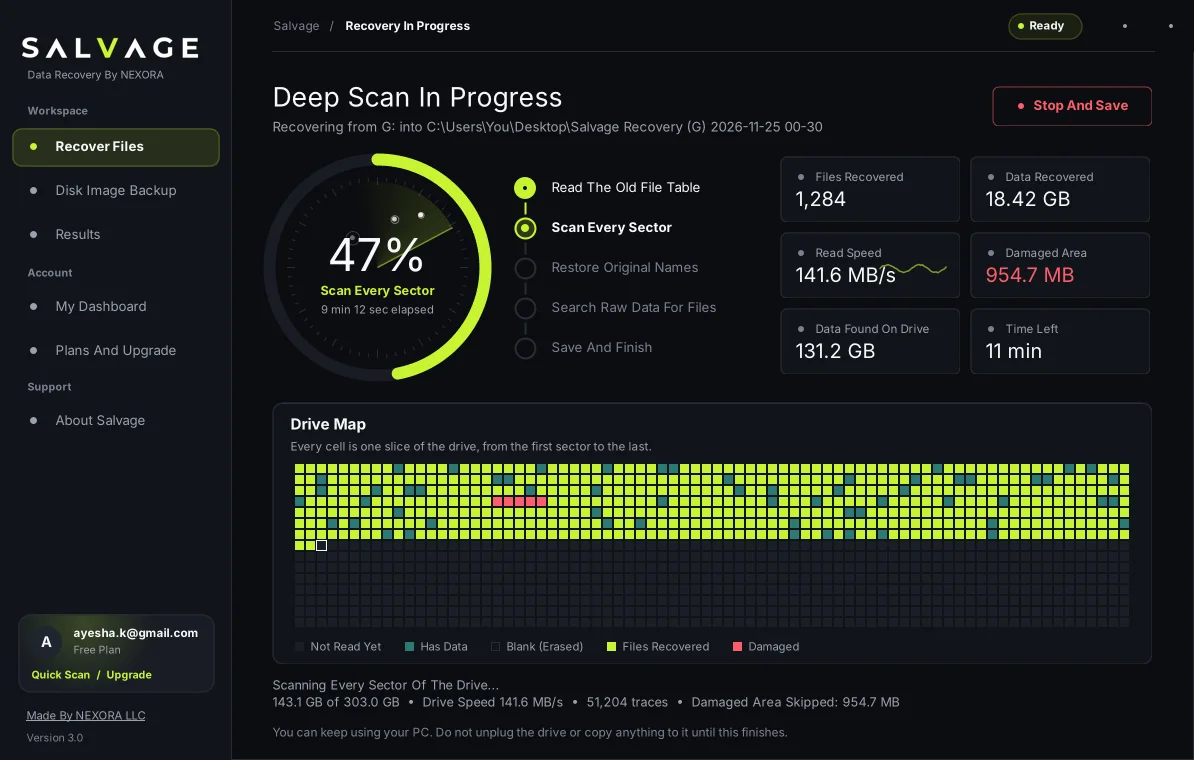
Watch the drive being read sector by sector, and stop and save at any time.
SALVAGE never writes to the drive you recover from, so nothing gets overwritten.
Copy a failing drive to an image first, then recover from the image safely. On Plus and above.
After every recovery you get a clear report of what was found and where it was saved.
Every square is part of your drive. SALVAGE reads each one, marks what it finds and keeps going, while you watch the files pile up.
USB drive, SD card, external hard drive or a disk image file.
Quick Scan first. Use Deep Scan if a file is still missing.
Search photos and videos and choose what to bring back.
Save to a different drive so nothing is overwritten.
These are the real app screens.
Other recovery apps charge $60 to $150 a year. SALVAGE starts free and every paid plan costs less.
Pay with USDT through NOWPayments, or buy on Gumroad. Refunds within 7 days if your files could not be recovered.
Yes. Quick Scan is free forever with no data limit and no card. Paid plans add Deep Scan and rescue tools.
No. SALVAGE only reads the drive you recover from. Save recovered files to a different drive.
NTFS, FAT32 and exFAT, on USB drives, SD cards, external hard drives and disk images.
Reading a drive sector by sector needs them. SALVAGE asks once, when it starts.
If you bought a plan and your files could not be recovered, ask for a refund within 7 days at support@nexorallc.co.
Yes. Read the step-by-step guide How To Recover Files From A USB Drive You Formatted By Mistake.
Formatting removes the map, not always the files. Scan now before anything new is written to the drive.